
In This Article
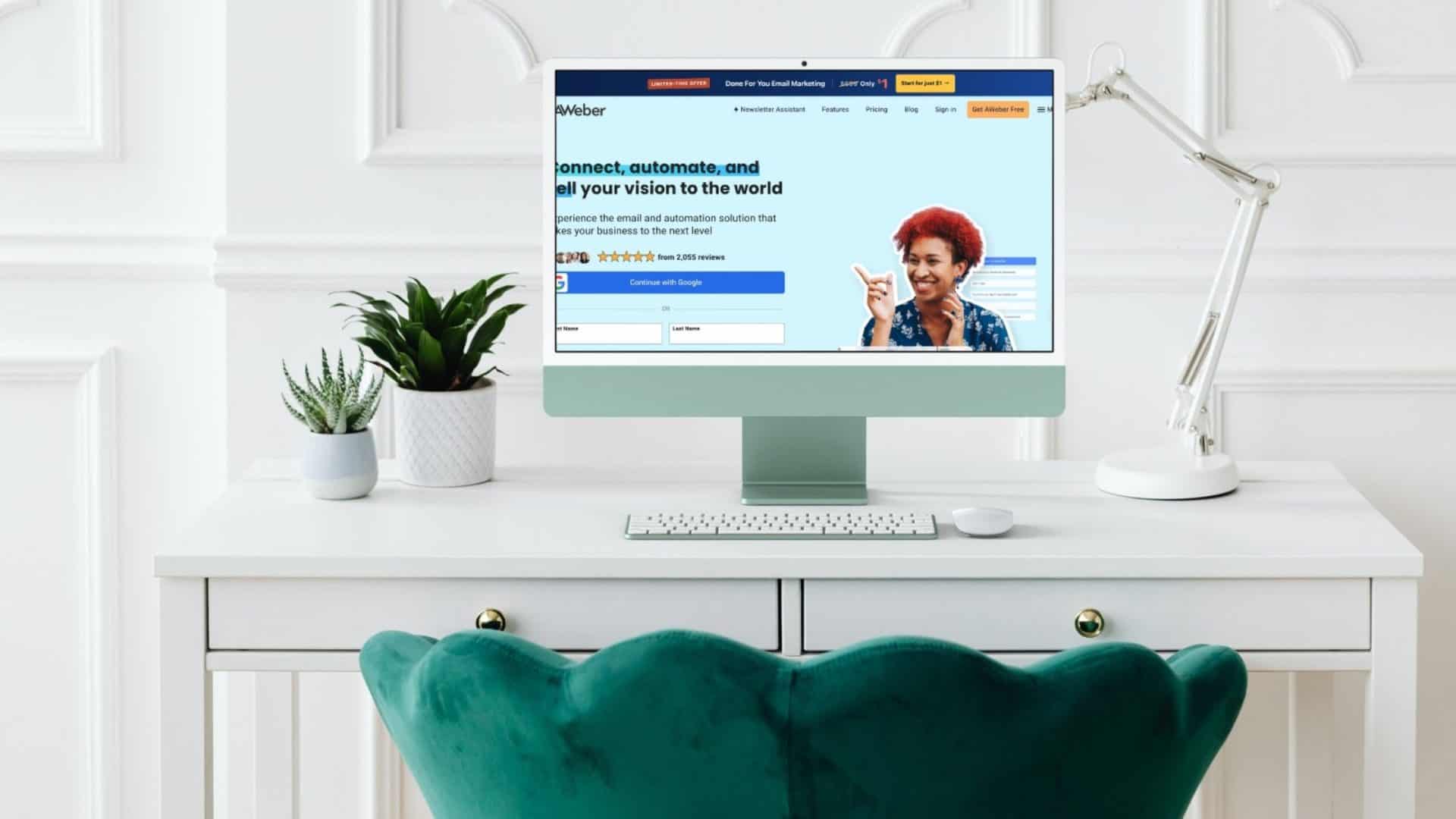
- AWeber is the only email marketing platform founded in 1998 that’s still independently owned. That 28-year track record of real small business data is now its biggest AI advantage.
- Industry benchmarks from Litmus and the DMA put email marketing ROI between $36–$42 for every $1 spent, and AWeber’s AI Newsletter Assistant now writes the newsletter for you, removing the reason most solopreneurs abandon email marketing entirely.
- You’ll find out exactly what AWeber costs in 2026, which plan fits your business, what the Done-For-You service delivers, and where AWeber still has room to improve.
AWeber for small business is a 28-year bet on one idea: that a one-person operation deserves the same email infrastructure the big players use, without the enterprise price tag or the learning curve. When I started my business, AWeber was the answer to every email marketing question, full stop. If you were a marketer, a consultant, a coach, or a freelancer who was serious about building an audience, you used AWeber. That’s not nostalgia. That’s a fact. Frank Kern, Evan Carmichael, Jay Baer, Ann Handley, Jeff Walker. These are the people who built the modern digital marketing playbook. They all ran their lists on AWeber. It was the infrastructure behind an era.
AWeber launched in 1998 when Tom Kulzer, a Penn State student, automated his own sales follow-ups and started selling the tool to fellow salespeople. For nearly 28 years, he never took outside money. No Intuit acquisition like Mailchimp. No VC rounds like ActiveCampaign. AWeber has remained entirely bootstrapped, privately owned, and shaped by one question: what works for a one-person business? For a solopreneur deciding where to build their list in 2026, that distinction matters enormously. The platform that answers to small business owners is fundamentally different from the platform that answers to institutional investors.
AWeber for small business works best for coaches, consultants, freelancers, and solopreneurs who want email marketing to run with minimal time investment. It fits people building their first list, service providers who need automated follow-up sequences, creators selling digital products or courses without a full ecommerce store, and anyone who wants a professionally built email system without hiring an agency. If you need deep CRM integration or multi-channel automation across SMS and social, look at ActiveCampaign instead.
Why AWeber’s history gives it an AI advantage nobody talks about
The fact that AWeber launched the careers of the best email marketers of the last 25 years isn’t a fun trivia point. in the age of AI.
AWeber has data. More specifically, the platform has 28 years of cross-industry, small-business-scale data on what subject lines get opened, what email sequences convert, what onboarding automations retain subscribers, and what cadences keep a list warm. That data trained their defaults, their templates, and now their AI tools. When the AWeber AI writes an email for you, it’s drawing on patterns verified across hundreds of thousands of small business accounts, not generic language model output that sounds plausible but has never been tested against a real list.
For solopreneurs who’ve been burned by AI-generated content that sounds confident but produces no results, this distinction is worth sitting with. AWeber’s AI doesn’t know email marketing because it read about it. It knows email marketing because it watched it work, or not work, for 300,000 small business users over nearly three decades.
What does the AWeber Newsletter Assistant do?
The single most important product shift the platform has made in recent years is the Newsletter Assistant. This connects to your website or blog, reads your existing content and past emails to learn your brand voice, and then drafts a complete, ready-to-send newsletter on autopilot. Weekly, biweekly, or monthly, it lands in your inbox for review.
You don’t log in. You don’t write a prompt. The newsletter shows up in your inbox, you edit if you want to, and you send. For a business owner who is also the writer, the marketer, and the operator, whether a coach building a client base, a consultant nurturing leads, or a freelancer staying top of mind, this removes the biggest bottleneck in content marketing: consistently getting something out the door every week.
The AI suite in 2026 also includes an in-editor Writing Assistant for content suggestions and rewrites, an AI Subject Line Generator that produces multiple variations for A/B testing, and AWeber MCP (currently in beta) is a direct integration that connects AWeber to Claude or ChatGPT so you manage campaigns through conversation rather than a dashboard.
That last piece is genuinely interesting for non-technical business owners. Instead of learning where every setting lives in a new interface, you ask questions and give instructions in plain language. The platform executes. That’s a fundamentally different relationship with email software, and it lowers the barrier to using automation features that most solopreneurs ignore because setup feels too complicated.
How much does AWeber cost in 2026?
AWeber costs $0 for up to 500 subscribers, $15/month for the Lite plan, $30/month for Plus, and $79 as a one-time setup fee for the Done-For-You service (then $30/month). The pricing structure has three paid tiers plus that Done-For-You option. All plans scale by subscriber count rather than send volume, which tends to work in favor of solopreneurs who have smaller lists but send frequently.
| Plan | Price | Best For | Key Features |
|---|---|---|---|
| Free | $0 (500 subscribers) | Testing the platform | 1 list, 1 automation, 1 landing page, sign-up forms, AI Subject Line tool |
| Lite | $15/mo ($12.50 annual) | Side hustles and new lists | Unlimited sends, 700+ templates, AI Writing Assistant, autoresponders, 24/7 support |
| Plus | $30/mo ($20 annual) | Growing coaching and consulting businesses | Behavioral automation, unlimited landing pages and segments, A/B testing, Shopify/WooCommerce integrations, priority phone support, ecommerce (0.6% fee) |
| Done-For-You | $79 one-time + $30/mo | Non-technical entrepreneurs | AWeber’s team builds your entire setup in 7 days: emails, landing pages, welcome sequence, automations, 30 days of edits |
| Unlimited | $899/mo flat | High-volume senders | Unlimited subscribers, all Plus features, dedicated account management, lowest transaction fees |
Every paid tier includes the AI Newsletter Assistant. The ecommerce transaction fee drops from 1.0% on Lite to 0.6% on Plus. Worth noting if you sell digital products or course spots directly through email campaigns, which is where email marketing ROI tends to compound fastest for solopreneurs.
Is AWeber’s Done-For-You service worth it?
The current Done-For-You pricing sits at $79 as a one-time setup fee (down from $599). That number makes me stop and double-check the math. AWeber’s professional team builds a complete email marketing system for your business within seven days of you completing an intake questionnaire. The package includes a custom-branded email template, two landing pages, a sign-up form, an automated welcome sequence, an additional workflow tailored to your business goals, and weekly newsletter drafts delivered automatically. You also get a 30-minute delivery call, 30 days of unlimited edits, and a 30-day money-back guarantee.
AWeber estimates the bundled value at roughly $2,500 versus the $79 price tag. I’ve seen freelancers charge $1,500 for a single welcome sequence. An agency will quote you $3,000 to $5,000 for the same setup. At $79, this isn’t a gimmick. It’s AWeber betting that once your system is built correctly, you stay. That’s a bet I’d take if I were them, and it’s an exceptional entry point for entrepreneurs who know they need email automation but have no interest in spending 40 hours learning a platform.
How is AWeber’s deliverability in 2026?
Deliverability is the one area where the numbers tell a complicated story, and where context matters more than the headline figure. Here’s the actual data.
EmailToolTester, which has tracked the platform through twelve testing rounds since 2017, recorded scores ranging from 71.8% to 93.2%. Their January 2024 reading was 83.1%, around the industry average, which sits at about 83.5% globally in 2026, but 11th out of 15 platforms tested in that specific round. More recent testing paints a better picture: EmailDeliverabilityReport’s November 2025 test of over 84,000 emails put AWeber at 91/100 with 85.6% inbox placement. A cold-domain stress test in August 2026 found AWeber achieving roughly 70% inbox placement from a six-week-old domain with zero sending history, outperforming most competitors under identical adverse conditions, particularly in Gmail where it hit 94–100% inbox placement.
Here’s the context those benchmark numbers rarely include: independent deliverability tests use standardized seed lists, not real small business lists. Real-world deliverability depends heavily on list quality: how old the contacts are, whether they’ve engaged recently, how they were collected, and whether the list has been pruned. A platform can score 93% in a controlled test and deliver to 60% of a neglected real-world list. The inverse is also true. If your email open rate is falling, the problem is almost always the list, not the platform.
AWeber doesn’t offer an automated IP warm-up tool built into the platform. What it does offer is something more useful for most small business owners: direct human guidance. Their team will walk you through the warm-up process, advise on send cadence and list segmentation, and help you avoid the inbox placement mistakes that cause deliverability problems in the first place. For someone migrating from another platform, that combination of free list migration (tags, templates, automations, and landing pages transferred at no cost) and phone-accessible deliverability support covers the fragile transition period far better than a software toggle ever would.
What real AWeber small business users report
The platform holds a 4.4 out of 5 on Capterra from 322+ reviews and a 4.2 out of 5 on G2 from roughly 649 reviews as of mid-2026. Customer service scores 4.5, unusually high for software at this price point. The review pattern is consistent: non-technical users cite 24/7 phone support as the deciding factor. When something breaks, they want to talk to a person. Most email platforms at the $15–$30/month price range have replaced phone support with chatbots. AWeber hasn’t.
The success story archive at aweber.com/successstories.htm spans a Zumba instructor who pivoted to online classes during COVID and built a landing page in under 10 minutes, a cheese-making instructor who increased daily subscribers by 75% after switching to a landing-page-driven model, a nonprofit Alzheimer’s research foundation that grew its list by 500%, and an affiliate marketer who attributed his first five-figure single-day income to a single automated list email. These aren’t Fortune 500 case studies. They’re the businesses that use AWeber.
Are AWeber’s email templates good enough for small business?
AWeber’s template library gets dismissed in a lot of reviews as dated. That’s not entirely wrong, and it’s not the full story either. The platform has over 700 email templates organized by category: newsletters, promotions, events, holidays, welcome sequences, and more. All of them are mobile-responsive and editable in the drag-and-drop builder without touching any code.
The Smart Designer is the underrated feature here. Paste in your website URL and it pulls your logo, brand colors, and imagery to auto-generate a branded template in seconds. For a solopreneur who hasn’t touched a design tool in years, that closes the “I don’t know how to make it look professional” gap immediately.
Three editors are available: a drag-and-drop builder for most users, a plain text editor for stripped-down personal emails, and an HTML editor for anyone who wants full control. The drag-and-drop editor is flexible and intuitive, allowing free movement of elements including coupons and carousels. Link previews are automatic: paste a URL and AWeber converts it into a card with image, title, and description. That’s a genuine time-saver for anyone sending content roundups.
The honest assessment: AWeber’s templates are functional rather than fashion-forward. They load fast, render consistently across email clients, and don’t distract from the message, which is the right priority for a solopreneur who needs results over aesthetics. If you want Squarespace-level visual polish in your emails, you’ll be looking at third-party template tools. For most small business owners sending weekly newsletters and promotional sequences, the built-in library is more than enough.
Does AWeber connect to the tools you’re already using
AWeber connects to over 750 tools via Zapier. That covers the vast majority of what solopreneurs run: WordPress, WooCommerce, Shopify, Facebook Lead Ads, PayPal, Etsy, GoToWebinar, JotForm, Calendly, and most CRMs including Zoho Bigin, HubSpot, and Salesforce.
Native integrations (built directly into AWeber, no Zapier needed) include WordPress, Facebook Lead Ads, PayPal, Etsy, and YouTube. The integration directory also includes Clickfunnels, Leadpages, OptinMonster, WPForms, Wufoo, MemberPress, Squarespace, Wix, and Weebly. If your audience signs up through any of those platforms, AWeber picks up the subscriber automatically.
One integration worth calling out specifically: Shopify. Connection options include Combidesk, Zapier, Make, and Apiant. One thing to plan around: Shopify may take up to two hours to report new customers to AWeber, so don’t design time-sensitive campaigns that depend on instant subscriber addition after a purchase.
What your subscribers experience when they sign up
Your subscribers’ experience directly affects your list quality, your deliverability, and your open rates. Here’s what they see from the moment they sign up.
AWeber defaults to double opt-in (confirmed opt-in) for sign-up forms. When someone enters their email, they receive a confirmation link before they’re added to your list. Users who use confirmation messages experience 30–60% fewer undeliverable emails and meaningfully better list hygiene from day one. AWeber recommends this approach because it filters out mistyped addresses and disinterested signups before they have a chance to hurt your sender reputation.
You do have the option to switch to single opt-in for forms, which adds subscribers immediately without a confirmation step. This setting lives under List Options, then List Settings, then Confirmation Message. Disabling confirmation for integration-based subscribers (via API) requires a Plus plan. For most solopreneurs running public sign-up forms, double opt-in is worth keeping on. The subscribers who click the confirmation link are the ones who want to hear from you.
The unsubscribe experience is clean and straightforward. Every AWeber email includes a one-click unsubscribe link in the footer, which is both legally required and genuinely good practice. Subscribers who click it are removed immediately and do not receive further emails. AWeber handles the compliance infrastructure (CAN-SPAM, GDPR) automatically, so you’re not managing that manually.
Can you use AWeber without a website?
You don’t need a website to use AWeber effectively. The platform is a complete launch system on its own.
The landing page builder includes 155+ mobile-responsive templates for lead capture, product sales, webinar registration, and course enrollment. You build the page in AWeber’s drag-and-drop editor, connect a custom domain (or use AWeber’s hosted URL), and you’re live. No WordPress. No web hosting. No monthly Squarespace bill.
Where this gets genuinely compelling is the ecommerce layer. Connect your PayPal and Stripe accounts, add an ecommerce element to your landing page, set a price, click Publish, and you’re selling. AWeber charges 0.6% per transaction (plus Stripe’s standard 2.9% + 30 cents), which means you keep roughly 96.5% of what you earn. Most ecommerce platforms charge 8–10%. AWeber supports payments in over 100 currencies, subscription payments, and payment plans. Set a price, choose a payment structure, and the system handles the rest.
Think about what this means for testing a new offer. A consultant wants to sell a workshop. A coach wants to pre-sell a program. A freelancer wants to offer a downloadable guide. With AWeber: build a landing page, connect Stripe, publish. The people who buy are automatically added to an email list and dropped into a welcome sequence. For an offer test, this setup takes a few hours rather than a few weeks, and costs a fraction of what Wix or Squarespace charge to build and maintain a full website you may not need yet.
| What you need | AWeber does it | Typical alternative |
|---|---|---|
| Capture leads online | Landing page builder, free | Leadpages $37+/mo |
| Sell a product or service | Ecommerce element + Stripe, 0.6% fee | Shopify $39+/mo + 2% fee |
| Follow up automatically | Welcome sequence, built in | Separate automation tool |
| Send weekly newsletter | Newsletter Assistant, automated | Copywriter or agency fees |
| Professional setup | Done-For-You service, $79 one-time | Agency $1,500–$5,000+ |
If you’re a fractional executive, consultant, or coach who needs a way to test an offer before committing to a full website build, AWeber is the lowest-cost, fastest path from idea to paying customer that exists right now. The entire system, landing page, payment processing, subscriber capture, and automated follow-up, runs inside one platform for $30 a month.
And if you’re watching a demo before committing, AWeber’s YouTube channel at youtube.com/@AWeber has current walkthroughs of the Newsletter Assistant and the landing page builder. The Content Planner demo published in February 2026 shows exactly how the Newsletter Assistant maps out weeks of content automatically.
AWeber vs. Mailchimp vs. Kit: how do they compare?
If you’re deciding between platforms, the full AWeber vs. Mailchimp vs. GetResponse comparison covers the detailed feature-by-feature breakdown. The short version for solopreneurs in 2026:
Mailchimp was acquired by Intuit for $12 billion and has increasingly tilted its product toward enterprise use cases and upsells. Its free plan now has more restrictions, its interface has grown more complex, and its pricing for lists above 500 subscribers has climbed. The cultural shift from independent tool to corporate product is visible in the product decisions.
Kit (formerly ConvertKit) is strong for creators and has excellent automation, but starts at higher price points and doesn’t include phone support. Its positioning is creator-first rather than small-business-first, which shows in what it prioritizes.
ActiveCampaign is a serious tool for businesses that need deep CRM integration with their email, but at a complexity and price point better suited to businesses with dedicated marketing staff. There’s a learning curve that most solopreneurs don’t want to invest in.
AWeber’s differentiation in 2026 sits at the intersection of price, phone support, 28 years of proven data, and AI tools trained on real small business email patterns. For the entrepreneur who wants to learn how to do email marketing and build an owned audience without a marketing team, that combination is hard to beat at $15–$30 per month.
Is AWeber for small business worth it in 2026?
AWeber for small business earns its recommendation not from having the single best deliverability score or the most polished interface in the category. It earns it from 28 years of staying true to the same customer it started with: the solopreneur, the coach, the consultant, the freelancer: the one-person business that needs email to work, doesn’t have a team to manage it, and doesn’t have $5,000 to spend figuring it out.
The AI Newsletter Assistant removes the most common reason solopreneurs abandon email marketing, which is the weekly grind of writing something new. The Done-For-You service removes the setup barrier. Free migration support removes the switching cost. Phone support on every paid tier removes the support gap. And the underlying data advantage, nearly three decades of real small business email patterns, means the AI tools are trained on what works, not on what sounds plausible.
If you want to understand what your email marketing statistics should look like, or you’re building your first list with the best email marketing tools for small business, AWeber belongs in that conversation, and in 2026, it’s making a stronger case than it has in years.
Start with the free plan. Test the Newsletter Assistant. If you want a complete system built for you in a week for $79, use Done-For-You. That’s the lowest-risk entry point in email marketing right now.
Frequently asked questions about AWeber for small business
Is AWeber good for small business owners who aren’t technical?
AWeber is one of the stronger options for non-technical small business owners specifically because it offers phone support on every paid plan, a feature most competitors have eliminated at this price point. The Done-For-You setup service has AWeber’s professional team build your complete email system within seven days for a current price of $79 plus a Plus plan subscription. The package covers landing pages, email templates, automations, and welcome sequences. For someone who doesn’t want to spend weeks learning a platform, that combination of live phone support and professional setup makes this platform significantly more accessible than alternatives requiring self-service onboarding. The 30-day money-back guarantee reduces the risk of committing before you’re certain the platform fits your workflow. The free plan (up to 500 subscribers) also lets you test the interface before spending anything.
How does the AI stack up against other email platforms?
AWeber’s AI tools, particularly the Newsletter Assistant, are trained on nearly three decades of real small business email data from approximately 300,000 accounts. The Newsletter Assistant connects to your website and past emails to learn your brand voice, then drafts complete newsletters automatically on a set schedule without requiring any prompts or dashboard logins. Most competitors’ AI writing tools generate content based on language model training without the same verification against real sending patterns and conversion outcomes. The AI Subject Line Generator produces multiple optimized variations from your email content, which makes A/B testing accessible without a dedicated testing strategy. AWeber’s MCP integration (currently in beta) also allows conversational campaign management directly through Claude or ChatGPT, which reduces the interface learning curve for non-technical users significantly. For solopreneurs without a marketing team, that combination of automation and conversational management is a meaningful time advantage.
What is the deliverability rate in 2026?
AWeber’s deliverability has shown a positive trend in recent independent testing. EmailDeliverabilityReport’s November 2025 test of over 84,000 emails rated it at 91/100 with 85.6% inbox placement. A cold-domain stress test in August 2026 found roughly 70% inbox placement from a six-week-old domain with zero sending history, with 94–100% inbox placement specifically in Gmail. The global average inbox placement across all providers sits around 83.5% in 2026, so the platform is performing above average in the most recent tests. Historically, earlier rounds of independent testing by EmailToolTester found more variability, with some readings in the low-to-mid 80s. List hygiene, meaning removing inactive subscribers, warming sending volumes gradually, and segmenting engaged contacts, affects deliverability more than platform choice alone. Maintaining a clean, regularly pruned list matters regardless of which platform you use to send. Free migration support is available if you’re switching from another provider.
What does AWeber’s Done-For-You service include?
AWeber’s Done-For-You service has a professional team build a complete email marketing system within seven days of a business completing an intake questionnaire. The package includes one custom-branded email template, two landing pages (a main page and a thank-you page), one sign-up form, one automated welcome sequence, and one additional workflow tailored to the business’s goals. Ongoing AI-assisted newsletter drafts are also set up and included going forward. Buyers receive a 30-minute delivery call to walk through the setup and configure integrations, 30 days of unlimited revisions after delivery, and a 30-day money-back guarantee. The current price is $79 as a one-time setup fee, reduced from $599, added to a Plus plan subscription at $30 per month. AWeber estimates the equivalent agency cost for the same deliverables at approximately $2,500, which makes this a significant value for entrepreneurs who would otherwise hire outside help.
Does AWeber offer a free plan in 2026?
AWeber offers a free plan that supports up to 500 subscribers permanently, with no time limit on how long you stay on it. The free tier includes one list, one automation, one landing page, sign-up forms, and access to the AI Subject Line Generator. Platform branding appears on emails and landing pages at this tier, and sends are capped at 10 times the list size per month. For a brand-new list testing the platform before committing to a paid plan, the free tier provides enough functionality to evaluate whether it fits your business without spending anything. Upgrading to Lite at $15 per month (or $12.50 per month on an annual plan) removes send limits, eliminates AWeber branding, and unlocks the full AI Writing Assistant and access to 700+ email templates. Most growing businesses will need Lite or Plus within the first year.